
GitHub is more than just a source code repository and hosting system. It has become an entire ecosystem offering a collection of interconnected services. The source code repository is the hub of all that, but only the hub. Today, I wish to explore GitHub Pages. But first, a minor detour.
Documentation is important. No one really believes otherwise. However, no one really likes making it either. This makes it easy to argue against the practical value and return on investment (ROI) of creating it. Rather than hashing through this already tiresome argument, let us simply discuss the options provided by GitHub.
The first and easiest option is the README file. Historically, this is a plain text file included with a software download. Usually, it is fairly short and gives the basics of installation, introductory usage and support options. Sometimes, it was used for far more extensive and complete documentation. It is however, still contained within a single file.
Over time, the README file evolved. The README.md file in particular allows the use of textual markup using the Markdown (thus the ‘md’ extension) language specification. Markdown allows for minimal, text only, annotations modern readers (web browsers or other readers) could interpret and render. Being minimal, it can even be displayed unrendered without causing excessive loss of readability. GitHub renders this as HTML when sending it to the browser.
Regardless of the technical handling, the primary goal of the README file is to provide the minimal information needed to get started with the software at hand.
GitHub’s next offering is a Wiki. A wiki is a collaborative documentation system that like the README.md, typically uses some form of markup. Unlike the README.md file however, it’s an entire system of documents. A wiki often has a plugin system giving the wiki additional features such as dynamic rendering from a database rather than just static, marked up text.
Because of their collaborative nature, wikis are often used by development teams to document, communicate and manage the development process. The use of a lightweight markup system and plugins allows, in theory, for this documentation to be created and maintained with less effort than a traditional publishing process. It is however, by its very nature, transient and highly focused on the here-and-now.
That brings us then to GitHub Pages. At first, I was more than a bit perplexed by the practical and philosophical distinctions between the GitHub wiki and pages. My first foray into GitHub pages was trying to understand the built-in, default toolset. By default, GitHub uses the Jekyll static site generation system. Like the README.md file and the wiki system, Jekyll makes use of some form of markup, or even a mix of markup systems. The difference being the site is generally not served dynamically. It is instead run once to generate static files that are used until they need regenerated.
Other than the speed of rendering static files and the high level of customization Jekyll offered, I wasn’t really seeing the value. Add to that the loss of tight integration with the other project management and repository tools, it seemed like a losing option. I also knew already I did not want to dig deep into a templating system to make it look the way I wanted. I could of course, simply disable Jekyll by creating an empty ‘.nojekyll‘ file in the root document directory. This would make our site purely static. But other than the “how”, I was still unclear on the “why”.
That’s when it occurred to me to ask what else we could deploy into a GitHub Pages site. The first thought I had was to ask if we could deploy a React application. It turns out we can, and it has become so common it is already baked into the system. Deploying a React application was so easy I did not even realize it had worked initially. While this did not really answer the why question yet, it did suddenly make the option more interesting. By deploying a React app, I could demonstrate an additional skill, Full Stack developer. Even if it was only in miniature.
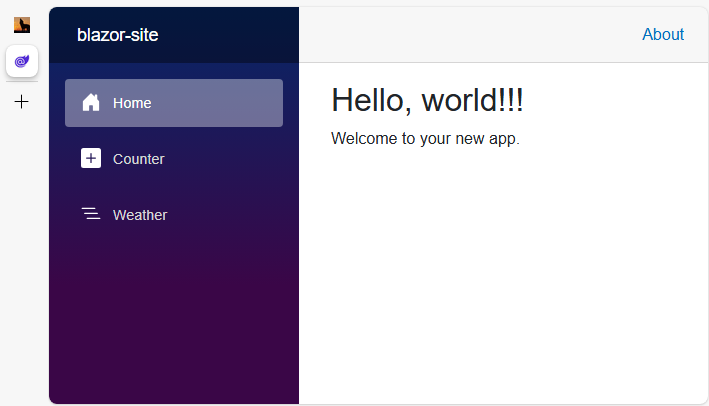
While performing my research, I also stumbled upon the Microsoft framework, Blazor. More than just another alternative, Blazor offered me an interesting opportunity. Disregarding the various pros and cons of one framework over another, I was really NOT looking forward to wading hip deep into JavaScript again. In fact, I was planning to sidestep it slightly by learning TypeScript instead. The interesting option Blazor offered was doing all my work in C# instead. What this meant was I now had an option to use and demonstrate skill in a modern web framework AND enhance my C# skills. This seemed better aligned with my current technical skills development plan and my need to create some sort of portfolio system to showcase my work.
In the end, I came to the conclusion these three options had the following to offer:
- README.md Still best used in the classical sense as the starting point for using or collaborating on your project. It should be short, sweet and to the point. It is the jump off point for engaging with your project in any way.
- GitHub Wiki Use this as a central hub to manage your project. Include more detailed developer documentation, create reports and road maps, generally communicate and coordinate with the universe about where you are headed and how far along you are. This is your ongoing, stream of conscience communication.
- GitHub Pages Consider this your project portal. Here is where you tell the world why their life would be improved if they used your product, or helped you develop it further. This is your marketing or portfolio entry point.
In later posts, I’ll detail out how I got both React and Blazor to deploy to GitHub pages. But for now, you can see the site in its current incarnation (at this time, just the Blazor sample application) here: https://robert-kuropkat.github.io/